
Blog · Wedding Planning
Great Wedding Guest Camera Experience: 7 Must-Have Elements
Learn the 7 essential elements that transform a basic wedding guest camera setup into a great wedding guest camera experience—from strategic placement and foolproof instructions to instant sharing and post-event curation.
· 5 min read · WedPOV Team
What Makes a Great Wedding Guest Camera Experience? A 7-Point Checklist
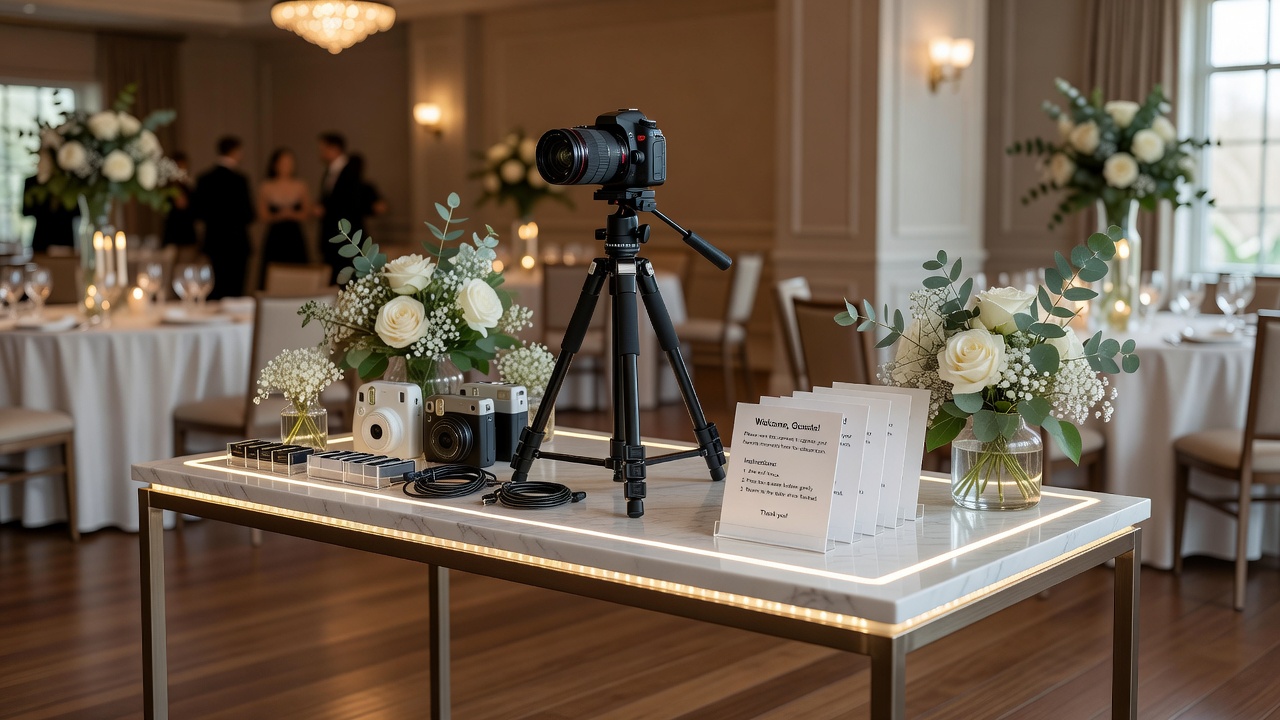
Quick Answer: A great wedding guest camera experience combines accessible, well-placed cameras with clear instructions, fun engagement prompts, instant photo sharing, reliable backup systems, thoughtful lighting, and a seamless review process. These seven elements transform passive snapshots into meaningful, shareable memories that couples treasure for years.
Introduction: Why Guest Camera Setup Matters More Than You Think
Every couple wants their wedding day preserved in beautiful, authentic photographs. Professional photographers capture the ceremony and portraits, but the reception? That's where guest cameras shine—capturing candid laughter, dance floor moves, and heartfelt moments professionals might miss.
Yet most guest camera setups fail to deliver. Guests fumble with unfamiliar devices, miss shots because of poor placement, or take photos that never reach the couple. The difference between a good setup and a great wedding guest camera experience isn't just the camera quality—it's the thoughtful system built around it.
This checklist covers seven critical elements that transform forgettable guest photography into a treasured memory collection. Whether you're a couple planning your big day or a guest helping set up, these actionable steps ensure no magical moment goes uncaptured.
The 7 Elements of a Great Wedding Guest Camera Experience
1. Strategic Camera Placement (Not Just 'Somewhere Near the Dance Floor')
What separates good from great: A good setup puts cameras near the action. A great setup maps the entire guest journey.
Think beyond the obvious. Yes, place one camera near the dance floor—but add another at the entrance for arrival shots, one near the photo booth area for silly group poses, and one by the dessert table for those genuine "caught with cake" moments. Cover multiple angles at key locations so guests don't queue or compete for the same device.
Actionable tip: Create a simple venue map marking 4-6 camera stations. Test sightlines during venue walkthrough. Ensure each station has a clear view without blocking traffic flow. [Internal link: related article on wedding venue layout planning]
Consider height variations too. Low angles capture kids and table interactions; elevated angles show the full room energy. Disposable cameras on cocktail tables encourage intimate, close-up moments that professional photographers rarely capture.
2. Foolproof Instructions (Because Guests Won't Read a Manual)
What separates good from great: A good setup includes basic instructions. A great setup makes using the camera impossible to mess up.
Guests are enjoying themselves—they won't pause to decode complicated settings. Every camera station needs a printed, waterproof card with exactly three steps: (1) Turn on, (2) Point and shoot, (3) Place back. Use large fonts and icons, not paragraphs.
Actionable tip: Test your instructions on someone who's never used the camera. If they hesitate for more than 5 seconds, simplify further. Consider a quick 10-second demo video via QR code for smartphone-connected cameras.
For disposable or film cameras, add a "shots remaining" indicator. Nothing kills enthusiasm like a dead camera or mysterious flashing error light. [External link: authoritative source on wedding photography guest participation statistics]
3. Engagement Prompts (Turning Shy Guests Into Photographers)
What separates good from great: A good setup provides cameras. A great setup inspires guests to actually use them.
Blank cameras sitting on tables get ignored. Guests need creative nudges to overcome the "someone else is probably taking photos" mentality. Place fun, themed prompts at each station: "Capture the best dance move," "Photograph someone laughing," or "Find the cutest couple (besides the bride and groom)."
Actionable tip: Create a mini scavenger hunt with 5-10 photo challenges. Offer a small prize for the most creative shot—maybe a custom drink named after them at the bar. This gamification dramatically increases participation rates and photo diversity.
Consider a dedicated "guest photographer" role for outgoing friends. Give them a special camera badge and ask them to model behavior. Social proof is powerful—once a few guests start snapping, others follow naturally.
4. Instant Photo Sharing (The Modern Guest Expectation)
What separates good from great: A good setup collects photos after the wedding. A great setup shares them during the celebration.
Today's guests expect instant gratification. A shared digital album, live photo wall, or real-time slideshow creates immediate emotional payoff. Guests see their contributions valued in the moment, which encourages more participation.
Actionable tip: Set up a simple QR code linking to a shared Google Photos or Dropbox album. For a premium touch, use a dedicated wedding photo app that creates live slideshows on a reception screen. [External link: authoritative source on digital wedding photo sharing trends]
Balance immediacy with curation. A moderation buffer of 2-3 minutes prevents embarrassing unfiltered shots from hitting the big screen, while still feeling "live." Remind guests that shared albums are visible to all—most self-moderate appropriately.
5. Redundant Backup Systems (Because Murphy's Law Loves Weddings)
What separates good from great: A good setup has one camera per station. A great setup assumes 30% of devices will fail.
Cameras get dropped, batteries die, memory cards fill up, drinks spill. At every station, have a backup plan: extra batteries in a labeled bag, a secondary camera ready to deploy, or a smartphone fallback for critical moments.
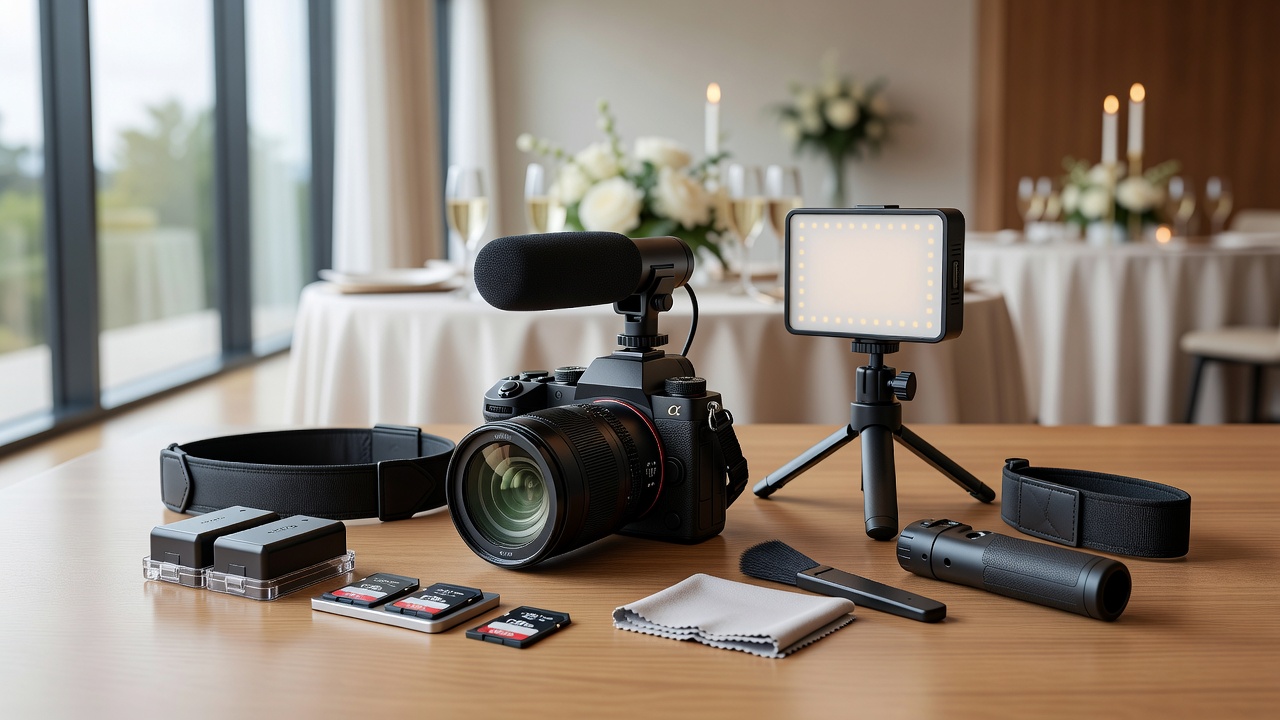
Actionable tip: Create a "camera emergency kit" with spare batteries, memory cards, cleaning cloths, and a backup disposable camera. Assign a tech-savvy guest as "camera wrangler" to check stations hourly and swap depleted devices.
For digital cameras, enable automatic cloud backup if possible. A camera connected to WiFi that uploads photos in real-time means even a lost or damaged device doesn't lose the memories. [Internal link: related article on wedding day backup strategies]
6. Thoughtful Lighting Considerations (The Silent Photo Killer)
What separates good from great: A good setup ignores lighting. A great setup enhances it.
Reception venues are notoriously challenging—dim romantic lighting that looks beautiful to eyes destroys smartphone and disposable camera results. Grainy, blurry, or dark photos disappoint guests and waste precious moments.
Actionable tip: Add small, battery-powered LED lights near each camera station. Not harsh spotlights—soft, warm accent lights that maintain ambiance while giving cameras enough illumination. Test shots during venue setup to verify results.
For outdoor or evening receptions, provide cameras with flash capabilities and encourage their use. Position reflective surfaces (mirrors, light-colored walls) near stations to bounce and amplify existing light naturally. [External link: authoritative source on low-light photography tips for events]
7. Seamless Post-Event Collection and Curation (The Final 10%)
What separates good from great: A good setup gathers photos eventually. A great setup delivers them beautifully within 48 hours.
The wedding ends, energy fades, and suddenly collecting hundreds of scattered photos feels overwhelming. Without a clear system, precious shots sit on disposable cameras, forgotten memory cards, or locked phone galleries.
Actionable tip: Designate a collection point at the venue exit with a decorated box for disposable cameras and a printed QR code for digital uploads. Send a follow-up message within 24 hours with the shared album link and a gentle deadline for submissions.
Curate mercilessly. Group similar shots, remove duplicates and blurs, and present the final collection in a curated gallery or photo book. The best wedding guest camera experiences end with a tangible, shareable memory collection—not a chaotic folder of random files. [Internal link: related article on wedding photo album curation tips]
Key Takeaways
- Map the guest journey when placing cameras—cover entrances, dance floors, tables, and special moments, not just obvious locations.
- Instructions must be idiot-proof—three steps maximum, large fonts, icons, and tested on camera novices.
- Prompts and challenges dramatically increase participation rates compared to passive camera availability.
- Instant sharing creates immediate emotional reward and encourages more guest photography throughout the event.
- Plan for 30% device failure with backup batteries, memory cards, and spare cameras at every station.
- Lighting matters more than camera quality—add soft accent lights near stations to prevent grainy, dark reception photos.
- Post-event collection systems are essential—designate collection points, set 24-48 hour deadlines, and curate ruthlessly for the final gallery.
Frequently Asked Questions
What is the best type of camera for wedding guest photography?
Disposable film cameras and instant Polaroid-style cameras work best for guest use because they're simple, fun, and produce tangible keepsakes. For digital options, shared smartphones with pre-configured photo apps offer instant sharing and require no technical knowledge.
How many cameras should I place at a wedding reception?
Plan for one camera station per 25-30 guests, with a minimum of four stations covering entrance, dance floor, dining area, and a special activity zone. Include one backup camera for every three active stations to handle device failures gracefully.
How do I encourage shy guests to participate in guest photography?
Use gamification with photo challenges, assign outgoing friends as "camera ambassadors," and create low-pressure prompts that feel fun rather than obligatory. Avoid putting guests on the spot—let them observe others first and join when comfortable.
Should I hire a professional photographer if using guest cameras?
Absolutely. Guest cameras complement professional photography but cannot replace it. Professionals handle ceremony shots, formal portraits, and technical lighting challenges. Guest cameras excel at candid, candid moments and unique perspectives professionals might miss.
How do I collect photos from guests after the wedding?
Set up a physical collection point at the venue exit with a decorated box, send a follow-up message within 24 hours with a shared digital album link, and set a 48-hour deadline for submissions. Designate one organized person to curate and remove duplicates before sharing the final collection.
What's the biggest mistake couples make with guest camera setups?
Assuming guests will intuitively know how to use cameras and return them. Most setups fail due to unclear instructions, poor placement, and no collection system. The solution is treating guest photography as a designed experience, not an afterthought with cameras on tables.
Can guest cameras replace professional wedding photography?
No. Guest cameras capture candid, fun moments and offer unique guest perspectives, but they lack professional lighting, composition expertise, and reliability. The best weddings combine professional photography for essential shots with guest cameras for supplementary, personality-filled content.
How much should I budget for a guest camera experience?
Disposable camera setups cost $8-15 per camera plus developing fees. Digital sharing apps range from free to $50 for premium features. For 100 guests, budget $100-300 for cameras and prompts, plus $50-100 for a photo book or curated digital gallery.
Are instant photo sharing screens appropriate for formal weddings?
Yes, when implemented thoughtfully. A live slideshow adds energy and engagement to any reception style. For formal weddings, use a moderation buffer and position the screen in a lounge area rather than the main dining space to maintain elegance.
How do I prevent inappropriate photos from being shared publicly?
Use a moderated sharing system with a 2-3 minute approval buffer, remind guests that all photos are visible to the couple and other guests, and consider a private album rather than public social media. Most guests self-moderate when they understand the visibility.
Conclusion: From Good to Great, One Element at a Time
A great wedding guest camera experience doesn't happen by accident. It's the result of intentional planning across seven interconnected elements: strategic placement, clear instructions, creative engagement, instant sharing, backup systems, thoughtful lighting, and seamless post-event collection.
Each element compounds the others. Great placement without instructions means unused cameras. Perfect instructions without engagement prompts mean bored guests. Instant sharing without backup systems means lost photos when devices fail. The magic happens when all seven work together.
Start with the two highest-impact elements for your specific wedding: placement and instructions. Once those are solid, layer in engagement prompts and sharing systems. The result? Hundreds of authentic, joyful memories captured from perspectives no professional could replicate—and a couple who gets to relive their special day through the eyes of everyone they love.
Ready to plan your perfect wedding guest camera experience? [Internal link: related article on wedding photography planning checklist] Start with our downloadable venue placement map and guest instruction templates to make your setup effortless and unforgettable.
Quick answers
- What is the best type of camera for wedding guest photography?
- Disposable film cameras and instant Polaroid-style cameras work best for guest use because they're simple, fun, and produce tangible keepsakes. For digital options, shared smartphones with pre-configured photo apps offer instant sharing and require no technical knowledge.
- How many cameras should I place at a wedding reception?
- Plan for one camera station per 25-30 guests, with a minimum of four stations covering entrance, dance floor, dining area, and a special activity zone. Include one backup camera for every three active stations to handle device failures gracefully.
- How do I encourage shy guests to participate in guest photography?
- Use gamification with photo challenges, assign outgoing friends as "camera ambassadors," and create low-pressure prompts that feel fun rather than obligatory. Avoid putting guests on the spot—let them observe others first and join when comfortable.
- Should I hire a professional photographer if using guest cameras?
- Absolutely. Guest cameras complement professional photography but cannot replace it. Professionals handle ceremony shots, formal portraits, and technical lighting challenges. Guest cameras excel at candid, candid moments and unique perspectives professionals might miss.
- How do I collect photos from guests after the wedding?
- Set up a physical collection point at the venue exit with a decorated box, send a follow-up message within 24 hours with a shared digital album link, and set a 48-hour deadline for submissions. Designate one organized person to curate and remove duplicates before sharing the final collection.
- What's the biggest mistake couples make with guest camera setups?
- Assuming guests will intuitively know how to use cameras and return them. Most setups fail due to unclear instructions, poor placement, and no collection system. The solution is treating guest photography as a designed experience, not an afterthought with cameras on tables.
- Can guest cameras replace professional wedding photography?
- No. Guest cameras capture candid, fun moments and offer unique guest perspectives, but they lack professional lighting, composition expertise, and reliability. The best weddings combine professional photography for essential shots with guest cameras for supplementary, personality-filled content.
- How much should I budget for a guest camera experience?
- Disposable camera setups cost $8-15 per camera plus developing fees. Digital sharing apps range from free to $50 for premium features. For 100 guests, budget $100-300 for cameras and prompts, plus $50-100 for a photo book or curated digital gallery.
- Are instant photo sharing screens appropriate for formal weddings?
- Yes, when implemented thoughtfully. A live slideshow adds energy and engagement to any reception style. For formal weddings, use a moderation buffer and position the screen in a lounge area rather than the main dining space to maintain elegance.
- How do I prevent inappropriate photos from being shared publicly?
- Use a moderated sharing system with a 2-3 minute approval buffer, remind guests that all photos are visible to the couple and other guests, and consider a private album rather than public social media. Most guests self-moderate when they understand the visibility.