
Blog · Wedding Planning
How to Get Wedding Guests to Actually Use Your Guest Camera
Learn practical strategies to maximize wedding guest camera participation through smart signage, timely reminders, creative incentives, and friction-free user experience.
· 5 min read · WedPOV Team
How to Get Wedding Guests to Actually Use Your Guest Camera
Quick Answer: To get guests to use your wedding camera, place eye-catching signage at the entrance and bar, verbally remind guests during speeches, offer fun incentives like photo contests, and ensure the camera setup takes under 10 seconds to use. Combine multiple touchpoints throughout the event for maximum participation.
Introduction
You spent good money on that guest camera or disposable camera table — and then the wedding ends. You develop the film or download the app, only to find... 12 photos. Total. Half are blurry shots of someone's thumb.
This is the wedding guest camera tragedy. It happens because guests get caught up in the moment, forget the camera exists, or feel awkward using it. But with the right strategy, you can turn that dusty table decoration into a goldmine of candid, heartfelt memories.
This guide covers the four pillars of guest camera success: signage that grabs attention, reminders that don't feel pushy, incentives that motivate action, and UX so smooth guests can't resist.
The Real Problem: Why Guests Ignore Wedding Cameras
Before fixing the solution, understand the problem. Guests don't skip your camera out of spite — life gets in the way:
- Attention fatigue: Between dancing, eating, and catching up, cameras become invisible background objects
- Social anxiety: Many guests feel self-conscious snapping photos in front of others
- Friction: If the camera requires a download, signup, or long instructions, most guests won't bother
- Uncertainty: Guests aren't sure when to use it or what to photograph
The fix? Meet guests where they are, remove every barrier, and make participation feel rewarding rather than obligatory.
Strategy 1: Eye-Catching Signage That Demands Attention
Where to Place Guest Camera Signs
Signage placement matters more than design. A beautiful sign tucked in a corner fails. A simple sign at a high-traffic moment succeeds.
High-impact placement spots:
- Welcome table/entrance: Capture guests when they arrive and are still gathering their bearings
- Bar area: Natural waiting zone where guests have free hands and attention
- Restroom mirrors: Unexpected but effective — guests look at mirrors instinctively
- Table centerpieces: Makes the camera impossible to ignore during dinner
- Photo booth adjacent: Guests already in a photo-taking mindset
Wedding Guest Camera Sign Ideas That Actually Work
Skip the generic "Please use our camera!" signs. Instead:
- Instructional clarity: "Pick up → Snap → Leave for us to develop. That's it!"
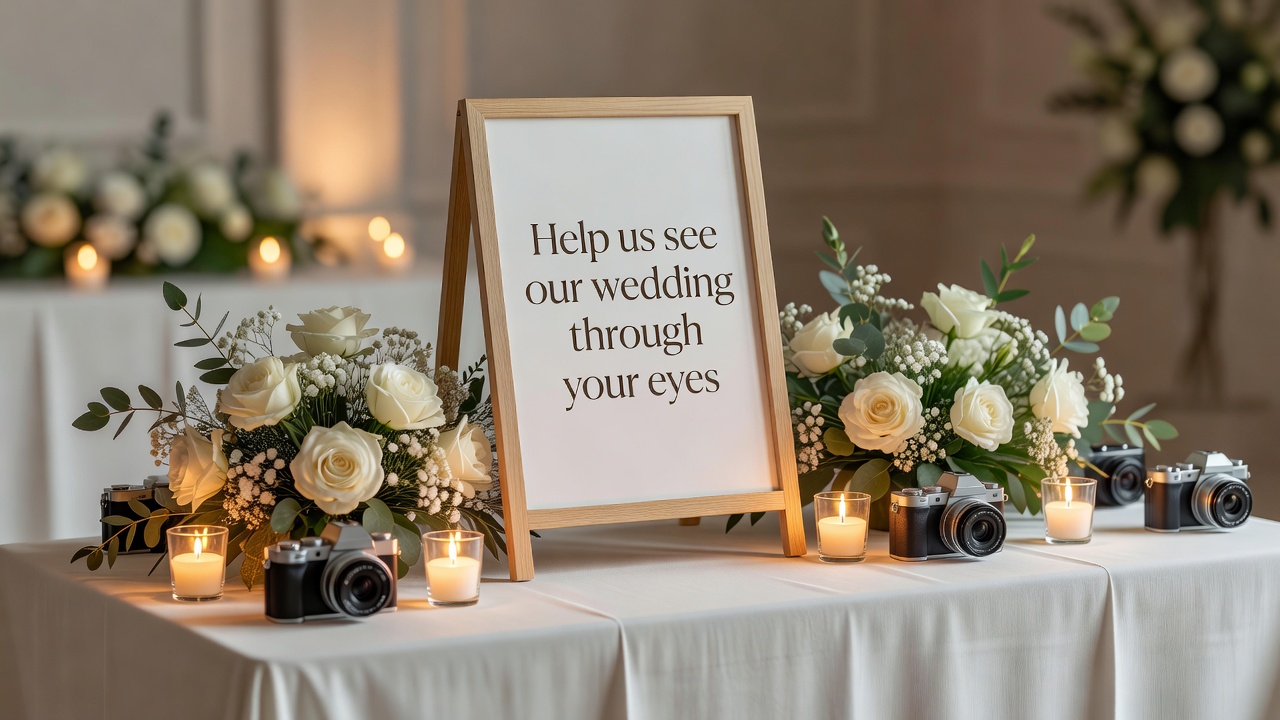
- Emotional hook: "Help us see our wedding through your eyes 📸"
- Humor: "We paid for this camera. Please don't let our money go to waste."
- Visual contrast: Use your wedding colors but make the sign visually distinct — different texture, frame, or lighting
Pro tip: Use table tents (A-frame signs) rather than flat cards. They stand upright and catch eyes from multiple angles.
[Internal link: related article on wedding signage design trends]
Strategy 2: Timely Reminders Without Being Pushy
Verbal Reminders During Key Moments
Written reminders get ignored. Verbal reminders from trusted voices get action.
Best moments for verbal nudges:
- Welcome speech: The couple or officiant briefly mentions the camera as part of "how to participate"
- Best man/maid of honor speech: Natural, lighthearted mention — "And don't forget to grab that guest camera and document Tom's inevitable dance moves later"
- MC announcements: One reminder before dancing starts, framed as "we want to see what you see"
Printed Reminders Throughout the Venue
Beyond the main signage, scatter gentle prompts:
- Napkin rings or coasters: Tiny printed reminder right at their seat
- Drink menus: "P.S. — There's a guest camera at the bar. Surprise us."
- Bathroom signs: Small, witty reminders in unexpected places
- Program/agenda: One line in the printed schedule
The key: varied touchpoints. One reminder gets ignored. Six subtle nudges across the evening build awareness without nagging.
Strategy 3: Incentives and Rewards That Drive Participation
Make It Fun, Not Transactional
Gamification works — but keep it light. This is a wedding, not a corporate team-building exercise.
Effective guest camera incentives:
- Photo contest: "Best candid wins a bottle of champagne at the after-party"
- Themed challenges: "First person to capture Grandma dancing gets a prize"
- Scavenger hunt element: "Find and photograph: something blue, someone laughing, the cake before it's cut"
- Social sharing bonus: If using a digital guest camera app, create a wedding hashtag and display a live feed — guests love seeing their photo appear on screen
Avoid: Cash prizes (too transactional), overly complicated point systems (cognitive overload), or anything that makes non-participants feel left out.
Recognition as Reward
Sometimes the best incentive is public appreciation. Mention during thank-you speeches that you're excited to see guest photos. Post the best ones on social media with credit. Include favorites in your thank-you cards.
Recognition costs nothing and creates emotional investment in your camera's success.
Strategy 4: Friction-Free UX — Remove Every Barrier
The 10-Second Rule
If using a digital guest camera app, your setup must pass the 10-second test. A guest should go from "I want to take a photo" to "photo taken" in under 10 seconds.
UX friction points to eliminate:
- Forced app downloads: Use web-based camera galleries or QR codes that open directly in browser — no App Store required
- Account creation: If possible, allow anonymous uploads or social login (one tap)
- Complex instructions: One sentence. Two maximum. If it needs a paragraph, redesign it
- Single camera location: If using physical cameras, place multiple units so guests don't have to hunt
Physical vs. Digital: Choose Your Setup Wisely
Physical disposable/film cameras:
- Pros: No tech barriers, nostalgic charm, guests can't review and delete "bad" shots
- Cons: Development delay, limited shots, risk of loss/damage
Digital guest camera apps:
- Pros: Instant access, unlimited photos, easy sharing, live galleries
- Cons: Requires smartphone comfort, potential connectivity issues at venue
Hybrid approach: Some couples use physical cameras as the "main" guest camera but supplement with a simple QR-code digital option for phone photographers.
[External link: authoritative source on wedding photography guest participation trends]
Strategy 5: Social Proof and Peer Momentum
Humans are social creatures. If one guest uses the camera, others follow.
Create momentum:
- Seed the first photos: Ask your wedding party to take a few shots early in the evening
- Display a live gallery: If digital, show uploaded photos on a screen — guests see others participating
- Shout-outs work: "We just got our first guest camera pic — keep them coming!"
Once participation starts, it often self-sustains. The hardest part is getting the first few people engaged.
Strategy 6: Timing Is Everything — When to Push for Photos
Guest energy fluctuates throughout the event. Match your camera push to the right moments:
Optimal participation windows:
- Cocktail hour: Guests are mingling, not yet overwhelmed, hands are free
- Dinner transitions: Between courses, guests are seated but looking for activity
- First hour of dancing: High energy, guests are moving around the venue
Avoid: Ceremony (inappropriate), cake cutting (all eyes should be forward), last 30 minutes (guests are tired and possibly leaving).
Common Mistakes That Kill Guest Camera Participation
Learn from couples who got 12 photos instead of 200:
- Hiding the camera: Tucked away "so it doesn't ruin the decor" — invisible = unused
- No instructions: Guests pick it up, shrug, put it down
- Overly complicated tech: An app requiring downloads, accounts, and tutorials
- One mention and forget: Announced once in the speech, never referenced again
- Generic messaging: "Use our camera" vs. "Help us see moments we might miss"
- Wrong camera type: A high-end DSLR that intimidates casual photographers
Key Takeaways
- Multiple touchpoints beat one big push: Combine signage, verbal reminders, and printed prompts throughout the event
- Clarity trumps cleverness: Guests should understand exactly what to do in under 5 seconds
- Remove every barrier: If your digital setup requires downloads or accounts, expect 80% fewer participants
- Incentivize lightly: Fun challenges and recognition work better than transactional prizes
- Seed early participation: Ask your wedding party to take the first photos and create social momentum
- Match timing to energy: Push hardest during cocktail hour and early reception, not late-night
- Physical cameras work: Don't underestimate simple disposable cameras — zero tech friction
Frequently Asked Questions
How many guest cameras should I have at my wedding?
One camera per 25-30 guests is ideal for physical setups. For digital options using smartphones, one QR code display per 50 guests works well. Place multiple pickup points so guests don't have to search.
What's the best type of wedding guest camera?
Disposable film cameras work best for tech-averse crowds and create nostalgic charm. Digital apps like Guestpix or The Guest App suit smartphone-comfortable crowds with instant sharing. Match the camera to your guest demographic.
How do I get shy guests to participate in wedding photography?
Make the camera approachable with humorous signs, emphasize that photos don't need to be perfect, and have outgoing members of your wedding party model participation first. Private, non-judgmental messaging helps.
Should I offer prizes for guest camera photos?
Light prizes like "best photo wins a bottle of wine" boost participation, but keep it fun rather than competitive. Recognition and inclusion in your thank-you cards often motivates more than material prizes.
When during the wedding should I remind guests about the camera?
Announce during the welcome speech, remind once during dinner transition, and have your MC mention it before dancing begins. Avoid the ceremony and final hour when guest attention is elsewhere.
How do I make a digital guest camera easy to use?
Use web-based options that open in browser via QR code — no app downloads needed. Test the setup on multiple phones before the event, and ensure the venue has adequate WiFi or cellular signal.
What's a good sign idea for a wedding guest camera table?
"Help us see our wedding through your eyes — pick up, snap, and leave for us to develop. That's it!" This sign explains the action, the emotional purpose, and confirms it's effortless.
Can I use both physical and digital guest cameras?
Yes, many couples successfully combine both. Physical cameras suit older guests and those without smartphones. Digital options capture more spontaneous moments. Just don't overcomplicate — choose one primary method.
How do I display guest camera photos after the wedding?
Create a digital gallery or photo book, share highlights on social media with a wedding hashtag, and include 1-2 favorites in your thank-you cards. Physical prints make great anniversary surprises months later.
What's the biggest mistake couples make with guest cameras?
Placing the camera out of sight with no instructions and assuming guests will find it. Visibility, clarity, and repeated gentle reminders are the difference between 12 photos and 200.
Conclusion
Getting guests to use your wedding camera isn't about luck — it's about intentional design. The couples who capture hundreds of candid moments are the ones who treat the guest camera as an experience, not an afterthought.
Place signage where guests naturally pause. Remind them without nagging. Offer fun, light incentives. And above all, remove every friction point between "I want to take a photo" and "photo taken."
Your wedding day moves fast. You can't be everywhere at once. But with a well-executed guest camera strategy, you won't need to be — your guests will capture the moments you'd never see otherwise.
Ready to plan your wedding photography? [Internal link: related article on complete wedding photo checklist] Our wedding planning tools help you organize every detail — from guest cameras to professional photographer timelines.
Quick answers
- How many guest cameras should I have at my wedding?
- One camera per 25-30 guests is ideal for physical setups. For digital options using smartphones, one QR code display per 50 guests works well. Place multiple pickup points so guests don't have to search.
- What's the best type of wedding guest camera?
- Disposable film cameras work best for tech-averse crowds and create nostalgic charm. Digital apps like Guestpix or The Guest App suit smartphone-comfortable crowds with instant sharing. Match the camera to your guest demographic.
- How do I get shy guests to participate in wedding photography?
- Make the camera approachable with humorous signs, emphasize that photos don't need to be perfect, and have outgoing members of your wedding party model participation first. Private, non-judgmental messaging helps.
- Should I offer prizes for guest camera photos?
- Light prizes like "best photo wins a bottle of wine" boost participation, but keep it fun rather than competitive. Recognition and inclusion in your thank-you cards often motivates more than material prizes.
- When during the wedding should I remind guests about the camera?
- Announce during the welcome speech, remind once during dinner transition, and have your MC mention it before dancing begins. Avoid the ceremony and final hour when guest attention is elsewhere.
- How do I make a digital guest camera easy to use?
- Use web-based options that open in browser via QR code — no app downloads needed. Test the setup on multiple phones before the event, and ensure the venue has adequate WiFi or cellular signal.
- What's a good sign idea for a wedding guest camera table?
- "Help us see our wedding through your eyes — pick up, snap, and leave for us to develop. That's it!" This sign explains the action, the emotional purpose, and confirms it's effortless.
- Can I use both physical and digital guest cameras?
- Yes, many couples successfully combine both. Physical cameras suit older guests and those without smartphones. Digital options capture more spontaneous moments. Just don't overcomplicate — choose one primary method.
- How do I display guest camera photos after the wedding?
- Create a digital gallery or photo book, share highlights on social media with a wedding hashtag, and include 1-2 favorites in your thank-you cards. Physical prints make great anniversary surprises months later.
- What's the biggest mistake couples make with guest cameras?
- Placing the camera out of sight with no instructions and assuming guests will find it. Visibility, clarity, and repeated gentle reminders are the difference between 12 photos and 200.