
Blog · Wedding Planning
Outdoor Wedding Guest Camera: Beach & Garden Tips
Learn how to set up a guest camera at outdoor weddings with confidence. This venue-specific guide covers essential tips for beach and garden ceremonies, including how to handle sun glare, wind interference, and connectivity challenges.
· 5 min read · WedPOV Team
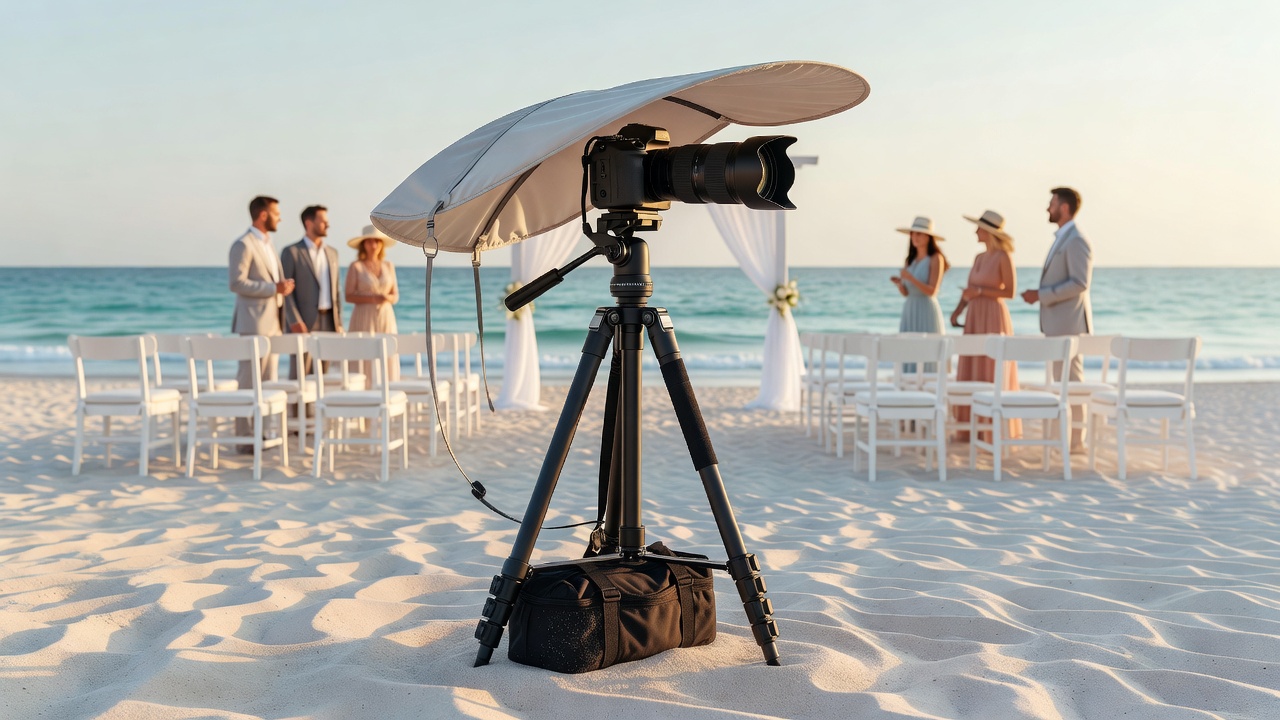
Outdoor Wedding Guest Camera: Tips for Beach and Garden Venues
Quick Answer: An outdoor wedding guest camera lets attendees capture candid moments from their perspective. For beach venues, prioritize sun glare protection and wind-resistant mounts. For garden weddings, focus on shade optimization and stable tripods. Always test connectivity before the ceremony starts.
Introduction
Outdoor weddings are magical—sunset backdrops, ocean breezes, garden blooms. But they also present unique challenges for your outdoor wedding guest camera setup. Whether you're placing a disposable camera on a reception table or setting up a digital sharing station, beach and garden venues demand different strategies.
Guests want to snap photos without squinting at screens, fighting gusts of wind, or discovering too late that the Wi-Fi dropped. This guide gives you practical, venue-specific solutions for the three biggest outdoor challenges: glare from the sun, wind interference, and connectivity issues.
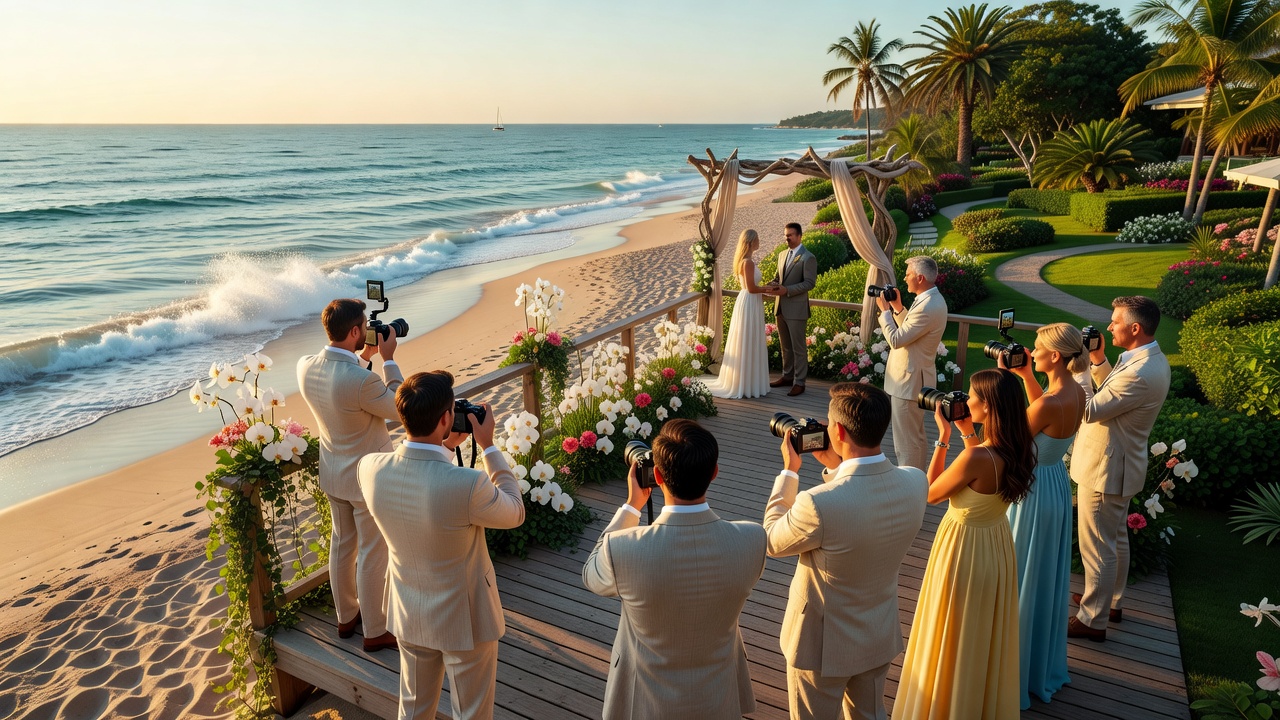
Why Outdoor Weddings Need Special Guest Camera Considerations
Indoor weddings offer controlled lighting, stable surfaces, and reliable internet. Outdoor venues? Not so much. Direct sunlight can wash out screens, coastal breezes can topple lightweight stands, and remote garden locations may have spotty cell service.
Understanding these variables upfront helps you choose the right equipment and positioning. The goal isn't just to provide a guest camera—it's to ensure guests actually use it successfully throughout the event.
Challenge 1: Managing Sun Glare
Beach Venue Glare Solutions
Beach weddings face intense reflected light from sand and water. Position your guest camera station with the sun behind it, not in front. Use a canopy or beach umbrella to create shade over the device. Matte-finish screen protectors reduce reflections on digital displays.
If using a tablet-based photo booth, angle the screen downward slightly so guests look down into the shade rather than up into the sky. Polarized sunglasses help guests see the screen, but don't rely on guests bringing their own.
Pro tip: Schedule a site visit at the same time of day as the ceremony. Test the screen visibility from the guest's eye level, not just standing over it.
Garden Venue Glare Solutions
Garden weddings typically have dappled shade from trees, which creates inconsistent lighting. Choose a spot under consistent tree cover rather than partial sun. Avoid placing the guest camera directly under bright floral archways where backlighting causes silhouettes.
For digital setups, adjust screen brightness to maximum and consider devices with anti-glare coatings. Printed instructions should use large, high-contrast fonts that remain readable in shifting light conditions.
[Internal link: related article on outdoor wedding lighting tips]
Challenge 2: Dealing With Wind
Beach Venue Wind Protection
Coastal winds are unpredictable and can reach 15-25 mph during afternoon ceremonies. Your guest camera setup needs serious stabilization. Use weighted sandbags or water-filled anchors on tripod legs. Choose wide-base tripods over lightweight travel models.
For disposable camera baskets, opt for deep-sided containers rather than flat trays. Weight the bottom with decorative stones or sand-filled jars. Secure tablecloths with clips to prevent them from lifting the entire display.
Wind also affects guests' ability to hold phones steady for sharing stations. Consider a hands-free mounting option or Bluetooth remote shutter that guests can trigger without touching the device directly.
Garden Venue Wind Protection
Garden weddings face gentler but gusty winds, especially in open lawn areas or near water features. Position guest camera stations near hedges, walls, or decorative screens that act as windbreaks. Avoid hilltops and open field centers.
For instant-print cameras, secure the output tray so prints don't scatter. Use adhesive strips or magnetic mounts for signage—guests get frustrated when instruction cards blow away mid-event.
Challenge 3: Ensuring Reliable Connectivity
Beach Venue Connectivity Tips
Remote beach locations often have weak or overloaded cell towers. If your guest camera relies on cloud uploads or live sharing, this is your biggest risk. Test signal strength at the exact setup location during your venue walkthrough.
Bring a mobile hotspot as backup, but verify it works with the local carrier bands. Some beach venues offer venue-wide Wi-Fi—confirm bandwidth allocation and get the password well in advance. Position the station within 50 feet of the router if possible.
For offline-first setups, use cameras with SD card storage that you collect at the end. Guests get instant gratification from physical prints, and you avoid connectivity anxiety entirely.
Garden Venue Connectivity Tips
Historic gardens and estate venues often have thick stone walls or dense tree cover that block signals. Walk the property with a signal meter app during your scouting visit. Map dead zones and avoid them.
Consider a hybrid approach: instant-print cameras for guests during the event, with a digital upload station near the venue's main building where Wi-Fi is strongest. This gives guests options while ensuring you capture everything.
[External link: authoritative source on outdoor event technology planning]
Venue-Specific Guest Camera Setup Checklist
Beach Wedding Guest Camera Setup
- Weighted tripod or sandbag-stabilized stand
- Shaded canopy or umbrella overhead
- Anti-glare screen protector (for digital setups)
- Backup mobile hotspot + venue Wi-Fi password
- Deep-sided basket for disposable cameras
- Waterproof covers for electronics (spray happens)
- Sunglasses-friendly angled screen placement
Garden Wedding Guest Camera Setup
- Wide-base tripod near windbreaks
- Consistent shade location (test at ceremony time)
- High-brightness device screens or printed prompts
- Secure signage with adhesive or magnetic mounts
- Hybrid digital/print option near main building
- Signal strength test during venue visit
- Instant-print output tray secured against gusts
Equipment Recommendations for Outdoor Guest Cameras
Not all guest cameras handle outdoor conditions equally. For beach venues, look for IP-rated weather-resistant instant cameras like the Fujifilm Instax Wide or digital alternatives with sealed ports. For gardens, any reliable instant camera works, but prioritize models with bright viewfinders for shaded shooting.
Digital sharing stations should use tablets with maximum brightness (500+ nits) and rugged cases. The Polaroid Lab or similar instant printers paired with guest phones offer flexibility without requiring venue Wi-Fi.
Avoid disposable film cameras in sandy environments—grit can jam the winding mechanism. If you love the disposable aesthetic, collect them at the end rather than leaving them unattended in baskets.
Common Mistakes to Avoid
Skipping the site visit at ceremony time. Lighting at 2 PM looks nothing like sunset golden hour. Test your guest camera visibility when guests will actually use it.
Underestimating wind at beach venues. That cute wire basket? It becomes a projectile. Secure everything or lose it.
Assuming venue Wi-Fi works everywhere. Verify signal strength at your exact setup spot, not just at the entrance.
Forgetting guest instructions in outdoor conditions. Paper gets damp, ink smears. Use laminated cards or engraved signs.
Key Takeaways
- Position outdoor wedding guest camera stations with sun behind the device, not in front
- Use weighted tripods and sandbags at beach venues; seek natural windbreaks in gardens
- Test connectivity at the exact setup location during your venue walkthrough
- Bring backup mobile hotspots and know venue Wi-Fi passwords in advance
- Consider offline-first instant-print options for remote beach locations
- Schedule site visits at the same time of day as the ceremony for accurate lighting assessment
- Secure all signage, baskets, and output trays against wind gusts
- Choose anti-glare screens and high-brightness displays for digital sharing stations
Frequently Asked Questions
What's the best guest camera for a beach wedding?
Weather-resistant instant cameras like the Fujifilm Instax Wide work well. For digital options, use tablets with maximum brightness and shaded canopies to combat glare.
How do I protect my guest camera from wind at outdoor venues?
Use weighted tripods with sandbags at beaches and position stations near hedges or walls in gardens. Secure all loose items with clips, adhesive, or heavy bases.
Can guests use the camera if there's no cell service?
Yes—choose offline storage options like instant-print cameras or devices with SD cards. Digital sharing can happen later when connectivity improves.
Where should I place the guest camera at a garden wedding?
Place it in consistent shade near natural windbreaks, close to the venue's main building for better Wi-Fi access, and away from high-traffic paths.
How do I reduce screen glare for digital guest cameras?
Position screens facing away from direct sun, use anti-glare protectors, angle screens downward, and maximize device brightness settings.
Should I provide disposable cameras at a beach wedding?
Be cautious—sand can jam mechanisms. If using disposables, collect them after the ceremony rather than leaving them in open baskets.
Do I need a backup internet connection?
Yes, especially for beach venues. Bring a mobile hotspot and confirm venue Wi-Fi details in advance. Test signal strength at your setup location.
What's the ideal height for a guest camera tripod outdoors?
Eye level for average adults (approximately 5-6 feet) works best. Adjust slightly lower for seated events or cocktail-hour setups.
How early should I set up the guest camera at an outdoor venue?
Arrive 2-3 hours before guests to test lighting, connectivity, and stability. This gives time to troubleshoot wind or glare issues.
Can I use a regular indoor photo booth outdoors?
Most indoor booths aren't designed for wind, moisture, or temperature swings. Choose outdoor-rated equipment or use simple instant cameras with proper protection.
Conclusion
An outdoor wedding guest camera captures perspectives the professional photographer misses—the candid laughter, the beach sunset selfies, the garden cocktail hour moments. But outdoor venues demand preparation. By addressing glare, wind, and connectivity proactively, you create a setup guests actually use.
Remember: beach weddings need sun management and serious wind protection. Garden weddings require shade consistency and signal verification. Visit your venue at ceremony time, test everything, and have backup plans ready.
Ready to capture every outdoor wedding moment? Browse our curated selection of weather-resistant instant cameras and outdoor-ready digital sharing stations designed for beach and garden celebrations. [Internal link: related article on wedding guest camera packages]
Quick answers
- What's the best guest camera for a beach wedding?
- Weather-resistant instant cameras like the Fujifilm Instax Wide work well. For digital options, use tablets with maximum brightness and shaded canopies to combat glare.
- How do I protect my guest camera from wind at outdoor venues?
- Use weighted tripods with sandbags at beaches and position stations near hedges or walls in gardens. Secure all loose items with clips, adhesive, or heavy bases.
- Can guests use the camera if there's no cell service?
- Yes—choose offline storage options like instant-print cameras or devices with SD cards. Digital sharing can happen later when connectivity improves.
- Where should I place the guest camera at a garden wedding?
- Place it in consistent shade near natural windbreaks, close to the venue's main building for better Wi-Fi access, and away from high-traffic paths.
- How do I reduce screen glare for digital guest cameras?
- Position screens facing away from direct sun, use anti-glare protectors, angle screens downward, and maximize device brightness settings.
- Should I provide disposable cameras at a beach wedding?
- Be cautious—sand can jam mechanisms. If using disposables, collect them after the ceremony rather than leaving them in open baskets.
- Do I need a backup internet connection?
- Yes, especially for beach venues. Bring a mobile hotspot and confirm venue Wi-Fi details in advance. Test signal strength at your setup location.
- What's the ideal height for a guest camera tripod outdoors?
- Eye level for average adults (approximately 5-6 feet) works best. Adjust slightly lower for seated events or cocktail-hour setups.
- How early should I set up the guest camera at an outdoor venue?
- Arrive 2-3 hours before guests to test lighting, connectivity, and stability. This gives time to troubleshoot wind or glare issues.
- Can I use a regular indoor photo booth outdoors?
- Most indoor booths aren't designed for wind, moisture, or temperature swings. Choose outdoor-rated equipment or use simple instant cameras with proper protection.